War Dogs becomes much more enjoyable when you learn how to put all of your friends on the same team in this game. You can form a squad of your own, join a squad that already exists and also invite your friends to play with you. Nevertheless, you should also take care of joining the same server and faction as your friends. This guide explains how to create a squad, join one, and play with your friends in War Dogs.
How To Create A Squad in War Dogs
You may either form a squad and recruit friends to it or join an already existing squad, if there are any slots available. In order to get access to the squad menu, you need to press the Esc key. This will bring up the settings menu, which contains options for squads.
At this point, you may proceed to the option you prefer – to change your squad, create one or join an existing one. If you are planning on creating your own squad, you should select “Create a Squad”. After that, you will be able to configure it and determine whether it should be locked or open.
As soon as you set up your squad, you can invite friends to join. If there are any slots free, other players will also be able to join your squad. You can lock the squad whenever you want to prevent additional players from joining.
How to Play With Friends
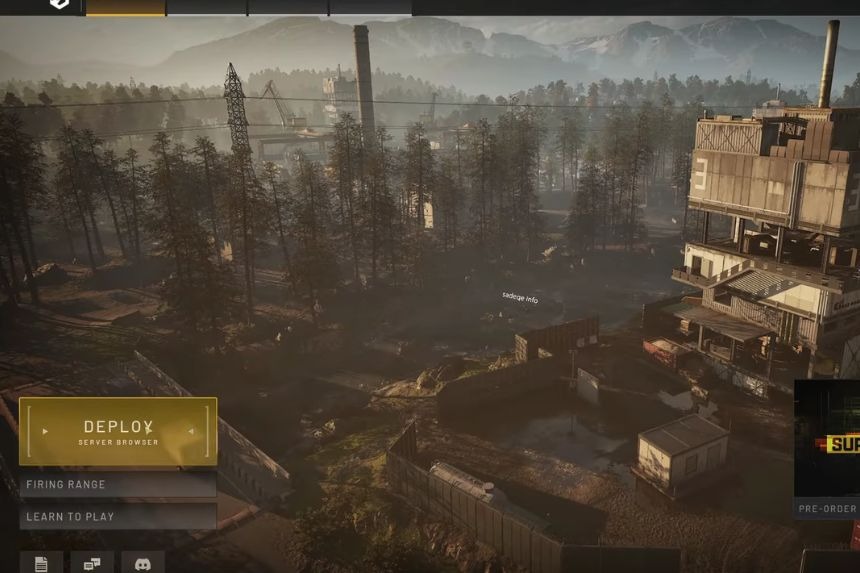
Wardogs is easy for you and your friends to play, but make sure that you are playing on the same server. What you should do is first go to Deploy and select the region where you want to play. Then join your friend’s server and start playing War Dogs there.
How To Join A Squad in War Dogs
You do not have to make your own squad to be able to team up with other people. Access the Esc menu, and there you will find all squads available for your faction. If there is an empty spot in the squad, there will be a button “JOIN SQUAD.” Just click on it, and you will be a part of the squad.
In case the squad is closed, the button will read “REQUEST TO JOIN.” Then the squad leader should accept your request in order for you to join the squad. The leader may also look at the unassigned players list and give you an invitation directly.