The Enshrouded 1.0 update brings plenty of new content for players who enjoy building and decorating their bases. You now have more terrain materials, building blocks, furniture, decorations, and structures to work with. The update also introduces a new building mechanic that lets you fly around your base and place objects without worrying about reaching difficult spots. Here’s a look at everything new you can use to improve your builds in Enshrouded.
- All New Terrain Materials in Enshrouded 1.0
- All New Building Blocks
- New Arches, Columns, and Decorations
- New Doors, Trees, and Lighting
- New Furniture, Paintings, and Interior Decorations
- New Stairs and Building Pieces
- New Logic Components and Traps
- Large Planet Display and Rounded Domes
- New Decorative Props and Scientific Equipment
- New Workstations and Plants
- How to Unlock and Use Airborne Architect in Enshrouded
All New Terrain Materials in Enshrouded 1.0
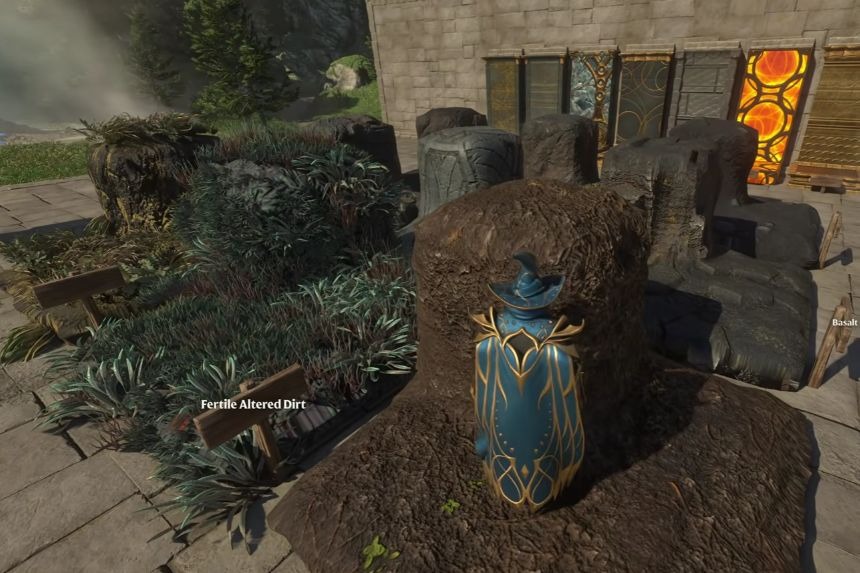
The new Cinder Cradle biome introduces several terrain materials that you can use to give your base a different look. You can unlock these materials by mining them in the new area. Here are all the new terrain materials:
- Basalt Farm Soil: A new soil material that you can use to create farming areas.
- Fertile Altered Dirt: Another soil option that gives you more variety when designing your surroundings.
- Fertile Cinder Cradle Dirt: A new fertile soil material found in the Cinder Cradle biome.
- Cinder Cradle Rubble: This material has small lava cracks running through it, making it particularly attractive at night.
- Ancient Road Block: A new path material that works well for creating roads and walkways around your base.
- Basalt: This material has a noticeable vertical texture, making it a good choice for building cliffs and rocky surfaces.
- Cinder Cradle Sand: A new sand material with a distinct texture.
- Cinder Cradle Dirt: This material has small patches of greenery, giving it a more natural appearance.
- Cinder Cradle Rock: It looks similar to Cinder Cradle Dirt but doesn’t have any greenery.
You can mix these materials to create cliffs, paths, gardens, and other outdoor areas around your base.
All New Building Blocks
Along with the terrain materials, Enshrouded 1.0 adds several building blocks that you can use for walls, floors, and other structures. The new building blocks include:
- Weathered Ancient Stone Block: An aged-looking stone block that resembles the Vuka Temple building style.
- Ancient Stone Block: A cleaner version of the Ancient Stone Block without the weathered appearance.
- Moonstone Block: One of the more interesting additions, featuring glowing circles and lines that become noticeable in the dark.
- Ancient Circles Block: A decorative block with an ancient design.
- Ancient Dungeon Block: A new block inspired by the ancient dungeons.
- Ancient Beacon Block: Another ancient-themed building material.
- Ancient Gold Block: A gold-themed block that you can use to give your structures a more decorative finish.
The Moonstone Block is especially worth checking out if you want to add glowing details to your base.
New Arches, Columns, and Decorations
If you wish to construct castles, temples, or other big buildings, the latest update also brings new types of arches and columns. Now you can create structures with Ancient Arches and Red Marble Arches. In addition, there are three columns that you can place in Red Marble Arches and four in Ancient Arches. This way, you will be able to create round and square columns based on your choice.
In addition, you will get the chance to make new trophies at Athlon. There are a few types of trophies available that can be made by you. Moreover, they come in various forms such as bronze and copper trophies. In addition, you can make Ancient Metal Floor Drains, Wall Drains, and Water Dispensers at the workbench.
New Doors, Trees, and Lighting
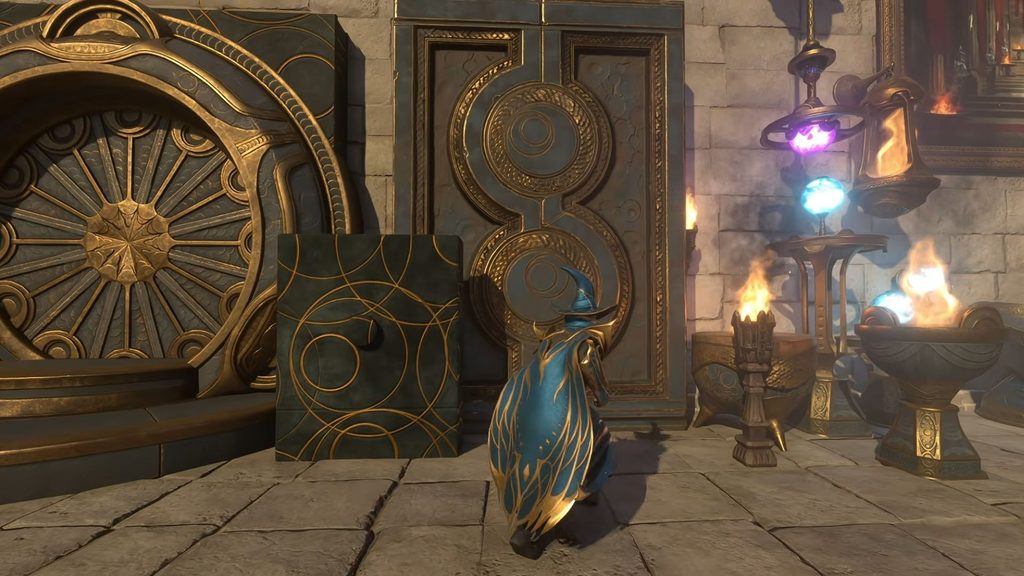
There is also the new Ancient Door, Secret Door which corresponds to the Ancient Circles Block and another large door reminiscent of the ones present in ancient dungeons. Secret Door is especially suitable if you want to create an opening but don’t want it to look like something separate from the walls.
Another good feature is the possibility to plant trees in the area around your base. Now you can grow large mossy trees, enormous Revelwood trees, and willows. If you want your outdoor spaces to be more realistic, these are the best choices for you.
New lighting features are also added. You can find a couple of Steel Torches in the mountains, whereas the new biome features several different types of lighting, among them globular lamps. These have very detailed textures and look especially good at night.
New Furniture, Paintings, and Interior Decorations
There are plenty of new furniture items available for the interior decoration of your base. Now you can create an Ancient Bed, three types of tables, Ancient Chairs both big and small, benches, desks, shelves, partitions, and windows. Most of the furniture items above can be created at the Carpenter.
Moreover, there are a number of new paintings which you can obtain after completing a certain quest which requires you to travel across the globe. If you love decorating the walls of your house, you will not lack painting options. In addition to that, the Bard has new banner types, thus offering you additional opportunities for large room and hallway decoration. There are also three Meteorite Showcase Stands where you can place your meteorites.
One more exciting option is the Map of Embervale. In order to create it, you will have to collect all the map fragments in various dungeons within the new biome. When done, you can put together the map and use it as a large decorative piece. You can also create new decorative skulls at Alden Crawley.
New Stairs and Building Pieces
The new update includes staircase blocks that you will now be able to craft from the Carpenter building. So now, you have staircase blocks that make things a lot easier for you. Two types of blocks have been made available for you: one is a large staircase, and the other is a small staircase consisting of two blocks only. These should come in handy when you’re designing entrances, raised platforms, or different levels inside your base.
New Logic Components and Traps
In addition to the above, Enshrouded 1.0 also includes a number of logic parts which allow you to get new ways of interacting with your constructions. There are several types of Trap Doors, Goalpost, Spike Traps, and Logic Workbench. Also, you receive Buttons, Levers, and Switches.
Such parts may be useful for those who wish to install traps or other elements of interaction into their base instead of constructing only aesthetic buildings. There are also some standing banners that you can use for your constructions.
Large Planet Display and Rounded Domes
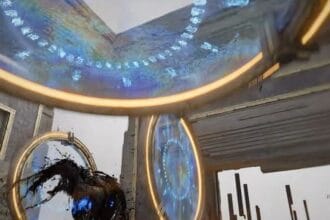
The Large Planet Display is one of the unique items added by the update. It can be created by searching and gathering different rings spread all over the world, crafting them, and putting them on a special stand crafted from the Alchemist. This display includes planets that shine during the night and is perfect as the centre of a huge room, such as an observatory. Another item that can be crafted is a large dome in four different parts. All you have to do is put them together to create the whole dome. They will be helpful in creating various curved roofs and towers.
New Decorative Props and Scientific Equipment
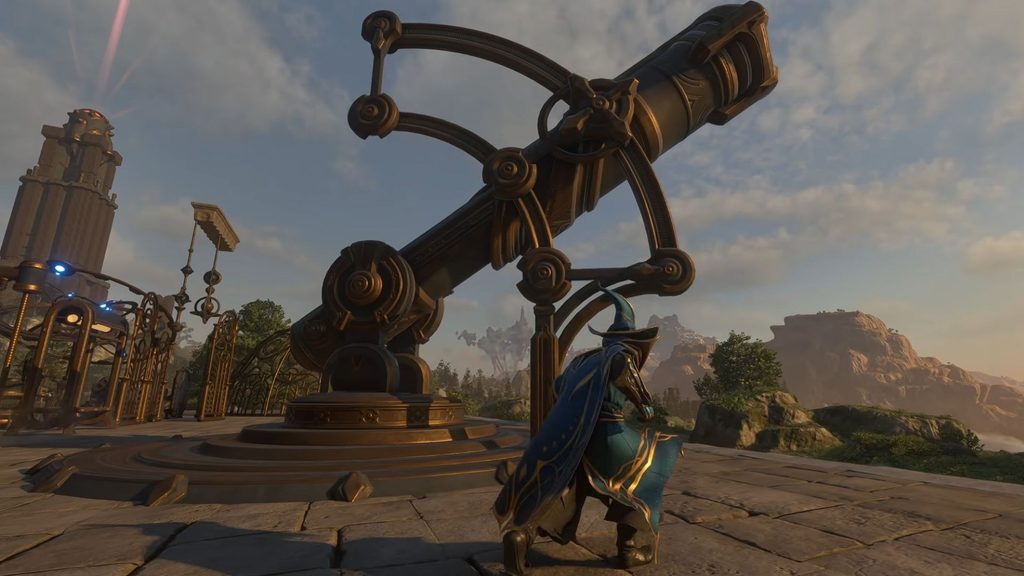
There is now a wide range of new items in the Decoration Bench that you can place into empty slots at your base. Here you will be able to build new pots, pans, vases, benches, prayer scrolls, and Star Map. All these items are decorative, and you cannot use them for anything except placing them at your base.
There are also round wall blocks and window sections matching the round domes. Now you can rotate them in any direction, which provides you with some cool opportunities for creating a unique base. New decorative items include various hanging mobiles, Grow Light, microscopes, telescopes, and a small spinning globe. One of the cool decorations is a Giant Telescope, which makes a great centrepiece for an observatory. However, it is only a decorative item, so you cannot use it for viewing the sky.
New Workstations and Plants
Lraine Crim is the name of this new NPC that enables you to build two more stations at your base. First, there is the Gem Forge station that gives you the ability to upgrade and install gems from your base. Second, there is the Infusion Altar, which is a new workstation, and it can be installed at your base construction area. Lraine Crim provides you with some new plants that come in pots of ancient design. They fit in well with other ancient furniture and constructions.
How to Unlock and Use Airborne Architect in Enshrouded
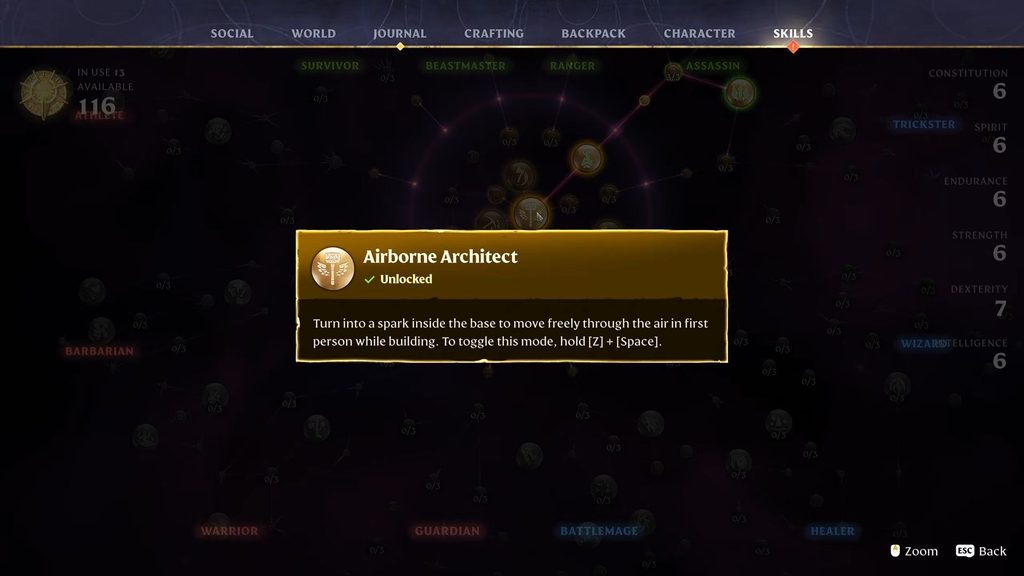
Airborne Architect is one of the most significant building upgrades available in Enshrouded 1.0. With this ability, you will be able to fly freely through your base when constructing buildings or decorations. Airborne Architect skill can be found in the middle of the Skill Tree. The cost to unlock this skill is three Skill Points, and no other skills need to be unlocked before unlocking it. Hence, you can unlock it early in the game.
To unlock the skill, move inside the boundary of your Flame Altar. Press the Z + Spacebar keys to use the Airborne Architect ability. Note that you do not need your Construction Hammer to use this ability. Your player turns into a spark and starts flying in the building field.
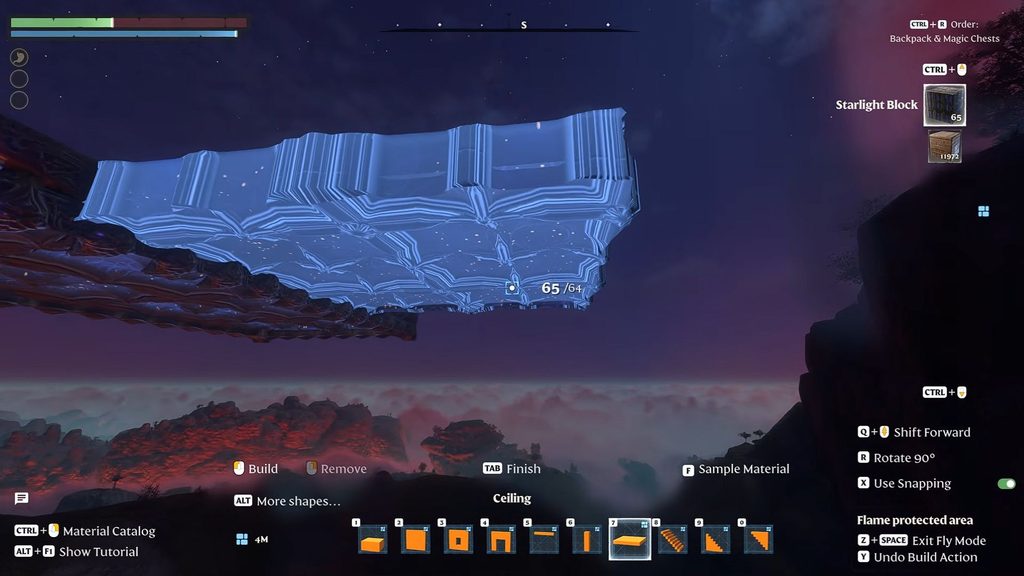
While you are flying, you can bring up your Construction Hammer and put down blocks, furniture, and all kinds of decorations wherever you like. The proximity of an object can be changed by Q key and the scroll wheel of the mouse. Snapping can be activated or deactivated depending on your preferences. You can move as usual with the movement keys and press Shift to go faster.
The only limitation that there is in this function is the fact that Airborne Architect works within the boundaries of your Flame Altar. Flying outside that area would automatically force the game to exit that mode. This function is very helpful in building, since it allows you to create any high structures or buildings without having to create scaffolding for them. Besides, this function helps you to see your base from various points. With the improved render distance, it becomes easier for you to see your build from a distance.