Aniimo Manager Menu is where you can store and organise all your Aniimo. As your Aniimo collection grows, the storage boxes could get easily messy and unorganised. Thankfully, the game provides you with a variety of options which allow you to sort out, filter out, move around, lock and tag your Aniimo. Getting familiar with these options is going to be useful when organising your Aniimo and preventing their accidental release.
Aniimo Storage Boxes
This is the place where you can save and organise all the Aniimos you’ve collected. Understanding the system of storage is crucial for you since it will help you keep your boxes organised and make sure that you do not accidentally release the Aniimo that you need to keep.
The box storage system offers you plenty of ways to organise your Aniimos. They include sorting, filtering, moving Aniimos in bulk, locking specific boxes, and putting custom marks on your valuable Aniimos.
How to Sort Aniimo
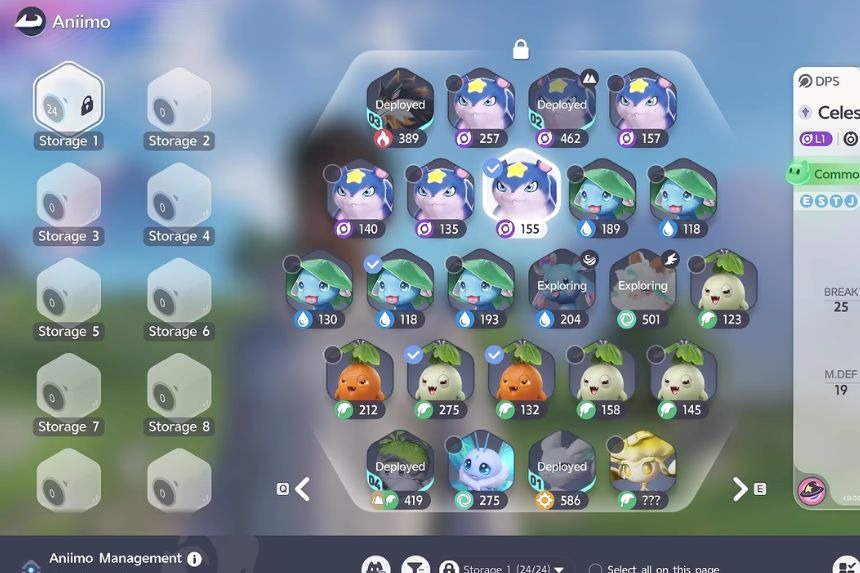
The feature for sorting is situated in the lower-left corner of the storage window. It allows you to sort your Aniimo without physically moving any Aniimo yourself. There are several criteria you can use to sort your Aniimo, namely: Date Obtained, Rating, Aniimo Number, Level, Potential Score, Family, and Compact Layer.
Another criterion you can use to sort your collection is the Aniimo Number. By selecting this criterion two times, you will be able to sort all of your Aniimo from the smallest Aniimo Number to the largest. It is very helpful if you try to collect all the Aniimo available in the game.
The filter function allows you to find certain Aniimo in your storage easily without changing anything in their places. You can sort your Aniimo according to certain criteria.
How to Lock Storage Boxes
To lock your individual storage boxes, you just need to click on the ‘Lock’ button. Once a storage box is locked, the Aniimo stored in the box will not be affected when you start organising your other boxes. This is particularly helpful in case you have a box for a specific team or Aniimo. Locking the box prevents your carefully organized collection from getting mixed up when you use the sorting or filtering options.
How to Move Multiple Aniimo
Manage allows you to select several Aniimos at one time. You may select them individually, or you may choose all the Aniimos displayed on the current page.
It is far easier to move or set free several Aniimos at one time. Suppose you have several Skippies, but want them to stay together. Then select them all and move them into one storage box.
The game will display the number of Aniimos that you are moving as you move them. They will move as one group when you place them in another box.
Navigating and Naming Storage Boxes
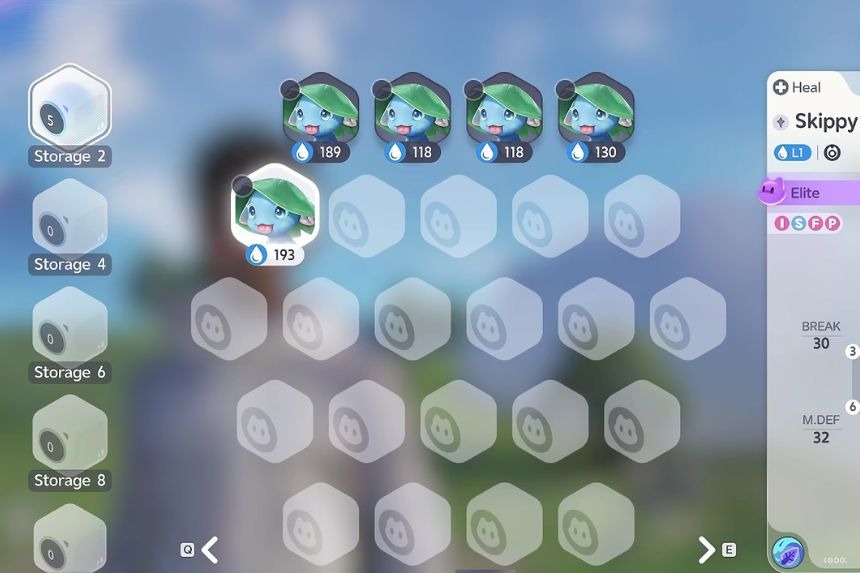
The quick changing between the storage boxes becomes possible thanks to the box navigation feature. It will be helpful for users who have a lot of boxes and want to find the required box without switching between all the boxes manually.
Another way of modifying your boxes is renaming the box itself by clicking the pencil icon. You can rename the box to WaterTypes if you want to sort out your Water-type Aniimo. Remember that there shouldn’t be any spaces in the box name.
How to Release Multiple Aniimo
Sorting and filtering will be very helpful when trying to get rid of unnecessary Aniimo. One can then release all chosen Aniimo at once rather than doing it separately. Once they have been cleared away, one may sort their Aniimo according to the Aniimo number in order to arrange the collection again. One is also able to lock the box and keep it from any change.
Another interesting feature of Aniimo is the marking feature that enables you to mark certain creatures in your collection. Choose one Aniimo and then look for the star icon at the lower right corner of the screen. It is used to create a unique mark for the Aniimo. Marking is also very helpful when using filters. One is able to filter their collection according to the marks that they have created.