With the Gunny system in Modern Warfare 4 DMZ, weapon customization has become more convenient thanks to the automatic choice of builds based on your preferred combat distance from the enemy. Instead of picking individual modifications yourself, you can use different possible options and select your desired build for the weapon with the help of items you have unlocked. Here’s how Gunny works, what its build options offer, and how you can customize its recommendations.
How To Use Gunny In MW4 DMZ
In Create A Class, Gunny is available in the Gunsmith menu or in the DMZ Forward Operating Base Gunsmith. Choose the gun you want to modify, go to its customization mode, and find Gunny in the lower right corner.
Press the displayed button on your screen (R2/RT/2) to access the building options. Gunny will suggest you to pick from three variants, and he will automatically set the accessories according to your selection.
Gunny’s Different Weapon Build Options
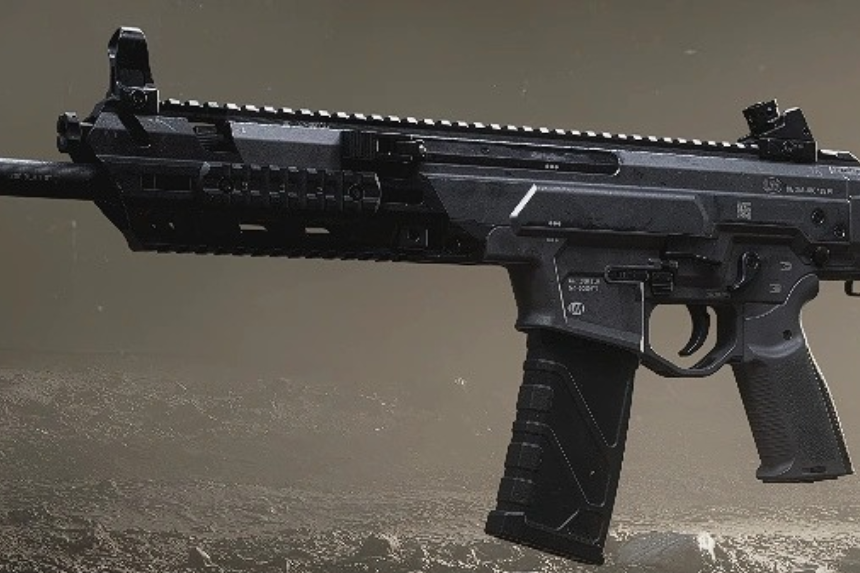
Gunny offers three primary configurations depending on your preferred engagement distance:
- Short Range: Prioritizes ADS speed, movement, and hipfire performance, usually at the cost of damage range and recoil control.
- Balanced: Combines characteristics of both close-range and long-range builds for a more versatile setup.
- Long Range: Improves effective range and recoil control but reduces mobility and handling.
For certain weapons, Short Range and Long Range are replaced by Quickscope and Precision options.
How Weapon Progression Affects Gunny
Gunny can only equip those accessories that you have already earned for the weapon you chose. And as you level up and earn new gear, new building possibilities will be available to you.
To access all three Gunny builds, you need to continue progressing with your weapon. You should return to the system from time to time whenever you obtain any new attachments.
Are Gunny’s Builds Always The Best?
Not necessarily. Gunny generates functional builds, but its recommendations aren’t guaranteed to be the most effective. The attachments could change every time an option is selected, which means the same weapon might result in a different setup.
Some builds may work for some playstyles, but on the contrary, might use some attachments that the player may not want. There are blueprints-like backgrounds behind some of the Gunny-built configurations.
Can You Customize Gunny’s Builds?
Certainly! Any configuration produced by Gunny can also be adjusted with the help of Gunsmith. You are free to change particular attachments or create a different configuration altogether with the tool.
Gunny should not be treated as the ultimate weapon-building tool, it only gives you a starting base for building something more elaborate manually with Gunsmith. It helps you put together a quick build while keeping control over your final weapon configuration.