

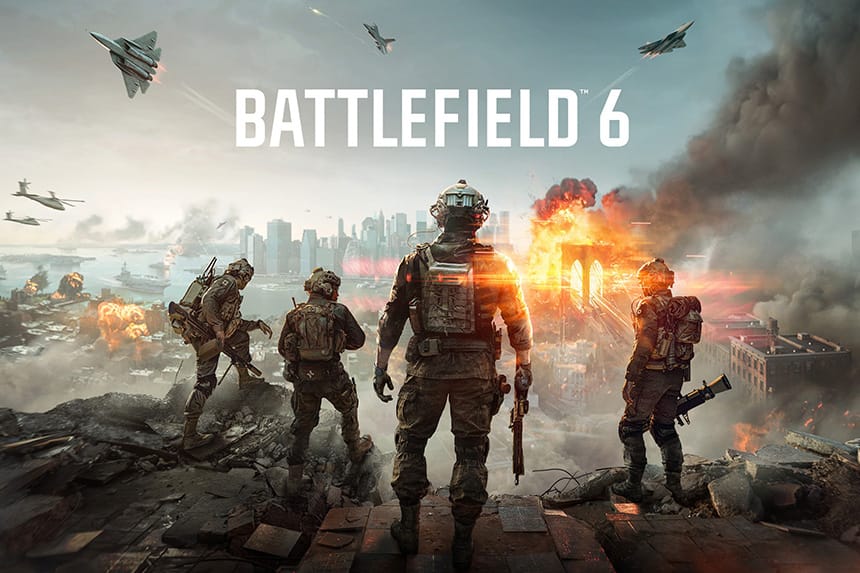
Battlefield 6 – One of the epic multiplayer action games of 2025 is out now and has become the most popular Battlefield of all time on Steam. However, a lot of players are complaining about the game as they are encountering multiple bugs and errors. One of the weird errors they see is the “This software cannot be used at the same time as the game AutoHotkey”. If you are also receiving the same error and have no idea how to get it fixed, this guide will help you resolve this error.
How to Fix Battlefield 6 Error: This Software Cannot Be Used At The Same Time As The Game AutoHotKey.
Many players have already tried multiple methods to fix this error, including uninstalling Logitech G Hub, Razer software, Visual Source, and repairing game files, but none of these tricks worked. Thankfully, we have got some of the best solutions, and here we show you how you can fix the BF6 error “This software cannot be used at the same time as the game autohotkey”.
1. Close the AutoHotKey Service from Task Manager
First of all, try closing all the AutoHotKey related services from Task Manager. Here is how to do it:
- Go to Start menu >> Task Manager
- If you see “AutoHotKey 64-bit” is running, then right-click on it and click on “End task.”
- Scroll down and find if any other AutoHotKey services are also running. If yes, close them too
- Furthermore, Daemon tools, ReWASD, DS4 Windows, Razer Synapse, Corsair iCUE, Faceit Anti Cheat, Riot Vanguard, etc. (If running)
2. Closing Programs that Contain Hidden AutoHotkey Scripts
Some applications use AHK internally. Even if you don’t have AHK installed, software like GridMove or Flow Launcher plugins may sometimes cause this error. Here is how you can close them.
- Open up Task Manager by pressing Ctrl + Shift + Esc
- Check the Processes tab for apps like GridMove, Flow Launcher, or any program you don’t recognize
- Right-click the suspicious process and select End Task
- After closing all of them, relaunch the game.
3. Enabling Secure Boot in BIOS
Some anti-cheat systems require Secure Boot. This feature ensures that no unsigned drivers or scripts are running. If your system uses MBR instead of GPT, you may need to convert it first. Follow the steps below to do this:
- First of all, restart your PC and enter BIOS (You can do this by pressing the Del, F2, or ESC keys on your keyboard)
- Find the Secure Boot option
- Please set it to Enabled
- Save changes and exit BIOS
- If you cannot enable it because your disk is MBR, convert it to GPT first by following the steps below:
- Open Command Prompt as admin
- Run: mbr2gpt /convert /allowFullOS
- Restart and re-enter BIOS to enable Secure Boot.
4. Remove or Disable 3XS Diagnostic Tools
Sometimes, some pre built systems come with “3XS Diagnostic Tools” that use AHK in the background and that can prevent the game from running properly.
- First of all, check your system tray (You will see it on the bottom right of the Windows taskbar)
- Hover over icons until you find one with menu.exe
- Right-click and Exit or close it
- To stop it from running again:
- Press Ctrl + Shift + Esc to open Task Manager
- Go to the Startup tab
- Disable any “3XS” entries
- After disabling, relaunch the game.
5. End SystemTray.exe Process with AHK DLL
Some background processes, like SystemTray.exe, may sometimes load an AHK DLL and cause this error. So, end the process to bypass the detection.
- Download Microsoft Process Explorer
- Run it as an administrator
- Press Ctrl + F and search for ahk
- If SystemTray.exe or any other process shows AHK-related DLLs, then right-click on it and kill its process by selecting “Kill Process”
- Once done, relaunch the game.
That’s everything you can try fixing Battlefield 6 error “This software cannot be used at the same time as the game autohotkey”.


IS there somewhere I can upload the LIST of f’ing programs I have and have them tell me which one’s I need to disable. Jeezus.
Hi! I’d like to add that the game works for me despite having gridmove running in the bg. I’m using v 1.19.62 if that’s helpful.
I did have to disable DS4 Windows. Another application that finally resolved the Autohotkey prompt was closing the program ‘Epic Pen’ which just allows you to draw onto your desktop.
Thanks for the article, it was very helpful!
This is such BS, if you can play Battlefield 4 without a problem, why would a simple Beta like BF6 be so hard to make it properly work right from the beginning? So much for EA beta programs. If it can’t work as easy like BF4 online you did do something serious wrong with BF6. Or is it only the Beta and not the final version or something? If not, you will lose a lot of BF players probably right away if EA can’t fix this the easy way. Or is it filled with malware or something? And trackers to see what people have as platform, hardware, playtime and what not?
its kernal level anticheat. Its not malware; though it is malware adjacent, its just incredibly invasive anticheat