
Starting with Schedule 1, a fully automatic mushroom growhouse runs nonstop with barely any hands-on effort. After configuration, staff manage every stage – spawning right through to packing and cooling. The process stays tidy, connects smoothly between systems, needs little maintenance.
Items You’ll Need
Before entering your bungalow, make sure you have the following:
| Category | Items |
| Production | 10× mushroom beds and 2× spawn stations |
| Processing | 4 drying racks, 3 mk2 mixing stations, 1 brick press |
| Storage | 6 large shelves and 5 lockers |
| Utilities | AC unit and bed included |
Growhouse Layout Setup
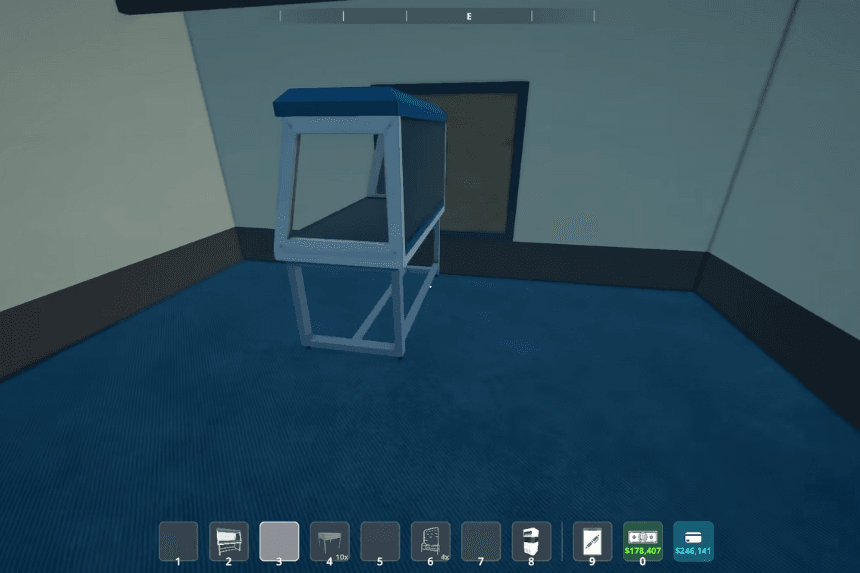
Start near the glass. Set up a spawn point just before the window frame. Behind that same pane, put another station straight back. Position matters here. Light reaches both spots well.
Arrange mushroom beds in two mirrored sections:
- Two beds sit against the wall
- Three beds sit close by, positioned next to where they stand
- Do the same thing again on the other side
- Place each rack side by side against one wall.
- Right by the spawn points, put the AC. Set it to cooling mode after that.
A space near the kitchen works well for storage units. Position tall shelving there. This area handles prep tasks efficiently. Equipment fits neatly on open racks. Organization improves when items stay close by. Storage solutions support daily workflow needs
- A single one placed at every corner
- A line of three stands tight against one wall.
- One after another, they sit without gaps. Each keeps its place in the row
- A single MK2 mixing station should go before every shelf.
- Push the brick press up to a wall.
- Line up all five lockers together.
- Near the sink is where the bed should go.
Automation Configuration

Production Links
| Object | Assigned To |
| Spawn Stations | Destination shelves |
| Mushroom Beds | Corresponding drying racks |
| Drying Racks | Quality reaches heavenly levels |
Processing Links
| Object | Configuration |
| Mixing Stations | Threshold: 10 |
| Mixing Stations | Output becomes brick press |
| Brick Press | Output becomes shelf |
Grab the clipboard to connect each piece. Assign it once – then forget transfers by hand. Everything stays linked on its own.
Shelf Filters Setup
On the first shelf, set up a filter. The second big shelf gets one too, just different. Arrange each to match what you need. These two will handle incoming items right away
| Shelf Slots | Filter Item |
| Slots 1–2 | Grain Bags |
| Slots 3–4 | Syringes |
| Slots 5–6 | Mushroom Substrate |
| Slots 7–8 | Mushroom Spawn |
Behind where mixing happens, set up storage units like this: pick those settings, then choose “apply to all.” One step finishes it
- Horse Goo
- Viagra
- Atti
Employees Required
| Role | Quantity |
| Botists | 2 |
| Handlers | 2 |
| Chemist | 1 |
From the clipboard, pick lockers, shelf space, station spots. After setup, those handle output and shipping without more input.
Starting out?

You will need these items on hand.
| Item | Amount |
| Grain Bags | 40 |
| Syringes | 40 |
| Mushroom Substrate | 40 |
| Atti | 160 |
| Horse Goo | 160 |
| Viagra | 160 |
Fresh out of the box, machines hand off resources without pause.
Streamlined Steps Keep Things Moving Behind The Scenes
- Put funds in lockers so machines start working.
- Fresh off the starting block, production kicks into motion without delay. Running solo from there, it keeps going steady.
- Few items left? Grab new ones using your phone, drop them at Loading Bay 1.
- When needed, workers refill all items without prompting.
Right now, just grab the completed items from the designated shelf every so often. The rest works without help. Finished things wait there until you pick them up. All systems run on their own after that.