When playing Gothic 1 Remake, you’ll want to make sure you have access to the map as this vital tool will help you navigate the Colony and locate all important locations. The map is not available to you right away though. In this guide, we will show you how to buy the map, open it, and explain why part of the Colony appears blank.
Where to Get the Map
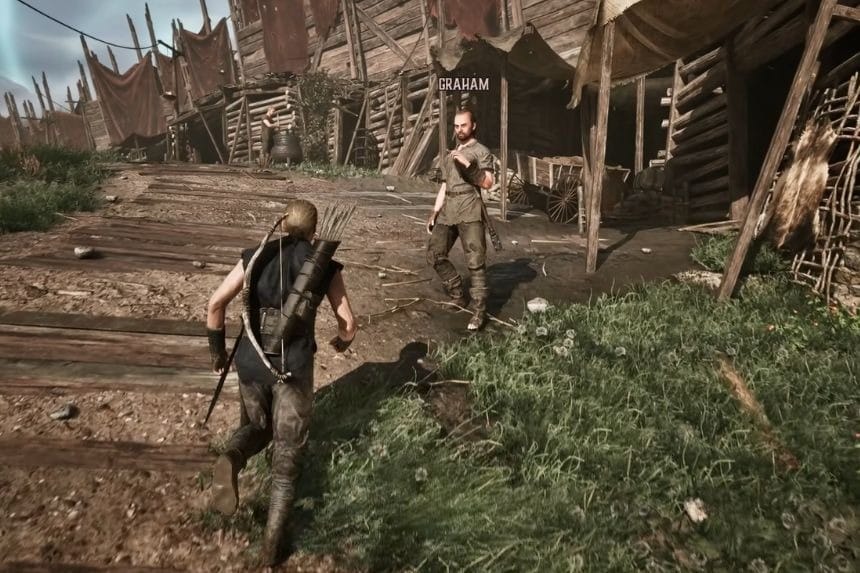
To obtain the map, go to Graham in the Old Camp. He’s in the eastern part of the camp near the shacks by the North Gate. Usually, he’s found next to a cauldron in the morning with one of the diggers. Graham sells two maps: one for the Old Camp and one for the Colony. The price for the Old Camp map is 38 ore nuggets and the price for the Colony map is 29 ore nuggets.
If you want to save some ore nuggets, you can purchase the Colony map from Dexter instead of Graham, as Dexter sells it for a lesser price (24 ore nuggets). Dexter can be found in the market area.
Note: You can gather ore nuggets by fighting and defeating NPCs to loot ore nuggets from them. Additionally, you can also steal ore nuggets from others.
How to Open the Map
After you’ve got a map, go to the inventory, select the map item, and press the Read button. This will pull up the map screen so that you can see all of the areas you’ve unlocked and can help you get around the Colony more easily.
Why Is Part of the Map Blank?
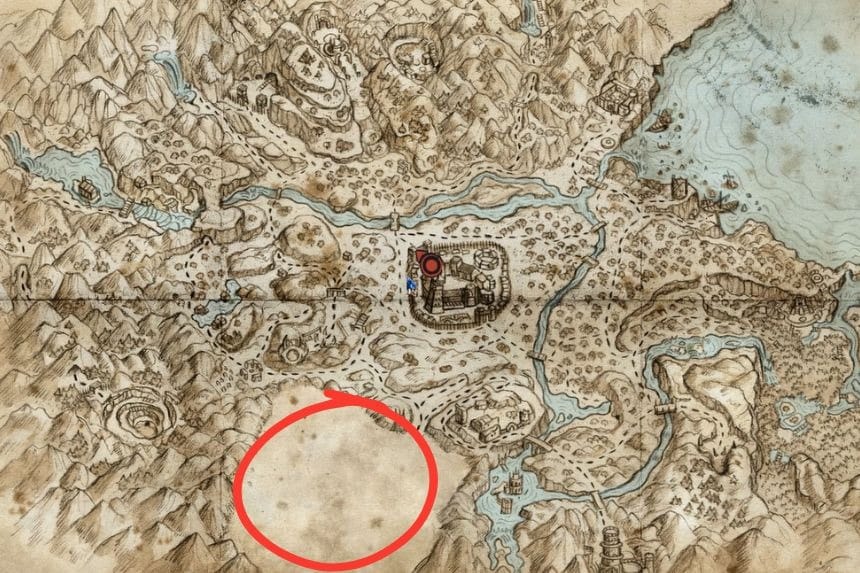
As you open the Colony’s map for the first time you’ll find that most of the bottom half is blank; this is intentional since it is an area that represents Orc territory.
At first the region is not accessible; it later becomes available as you progress through the game’s main storyline. As you access that area, more of the Colony will appear on the map.