

It is more enjoyable to explore the world and undertake tasks with your buddies in ArcheAge Chronicles. Before you can team up with them, you have to add them to your party list. There are two possible ways to do so, either from the Community section or from their presence close to you. Here’s how to add friends and invite them to your party in ArcheAge Chronicles.
How to Add Friends and Players
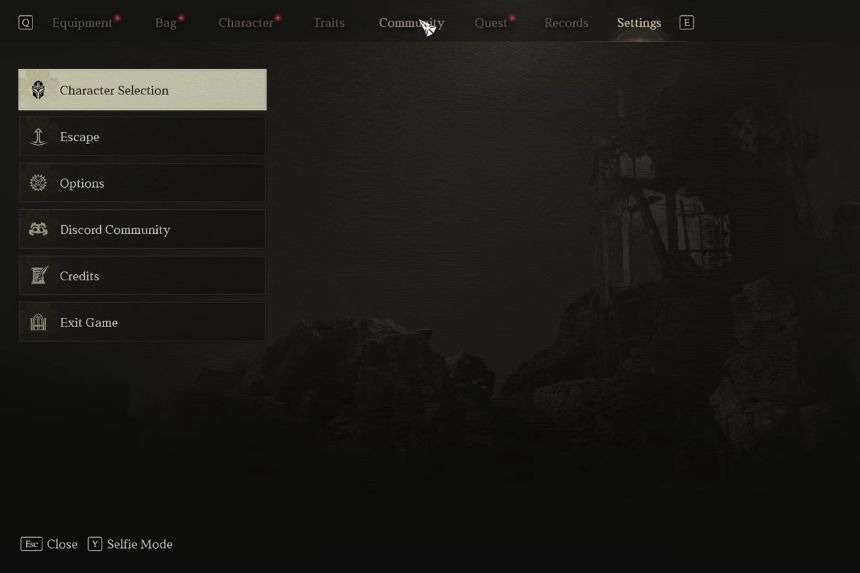
In order to add a person to your Friends List on ArcheAge Chronicles, you need to access your inventory or pause menu. It is possible for you to access your inventory via the key I on your computer’s keyboard. The next thing you should do is go to the Community tab, then click on Friends List. After that, click on the Add Friend tab or use F on your keyboard to activate the search window where you can type in your friend’s name and send a request to them.
There are two ways to invite someone to your party in ArcheAge Chronicles. You can either send an invitation through the Community menu or invite a nearby player directly.
How to Invite Players Through the Community Menu
The simplest method of inviting a person is through the Community menu. This can be done by opening the inventory menu and choosing the Community option. From there, go to the Party tab and then click on Invite Party Member. You can then invite the player you want to join your party.
How to Invite Nearby Players
You may also be able to directly invite a person to your ArchAge Chronicle party if they are physically around you. The first thing you should ensure is that both you and the other player are located on the same server. Approach the other player while they are stationary, and press the key ‘F’ to interact with them.
You will notice the Party Invite tab there. You just have to select it to send them an invitation. All the other player needs to do is accept the invitation. Keep in mind that you might not be able to invite someone who is already at another party.
How to See Invited Friends
In case you can’t see your friends on your ArchAge Chronicle server, there are a few things you need to keep in mind:
- Make sure you and your friends are playing on the same server.
- You should also check whether your friends are on the same channel as you. To check that, head over to the Pause menu and select Community > Party. Over here, you have the option to move the channel (default D key). You or your friends will be moved to the host channel after that.