
NBA 2K26 difficulty switch will completely change your MyCareer experience. You want a light, easy experience or the full brunt of Hall of Fame mode, but the game allows you to switch up difficulty after you’ve entered the NBA side of your career. Players wonder about MyCOURT, the practice headquarters of the game in MyCareer, and whether the settings carry over. Thankfully, they do.
Altering MyCareer Difficulty
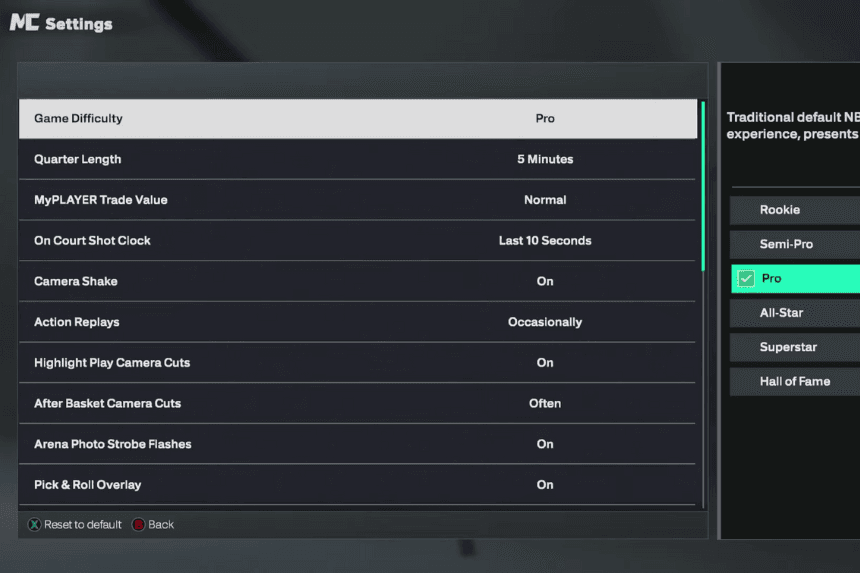
You are able to alter the difficulty of the game once you have advanced past the starting “Prelude” or training levels and officially signed with an NBA team.
- Begin by freezing the game using Options on PlayStation or Start on Xbox.
- Navigate through the tabs until you see Options/Quit, then go into the Settings menu.
- You have the Game Difficulty choice at the top of the menu.
- You may progress through Rookie, Semi-Pro, Pro, All-Star, Superstar, and Hall of Fame depending on your challenge level preference.
These changes are in real time, so you won’t need to reload your save. If you find that a level of difficulty is not challenging enough or too challenging, you can go the same menu anytime and adjust it accordingly.
How MyCOURT Difficulty Works
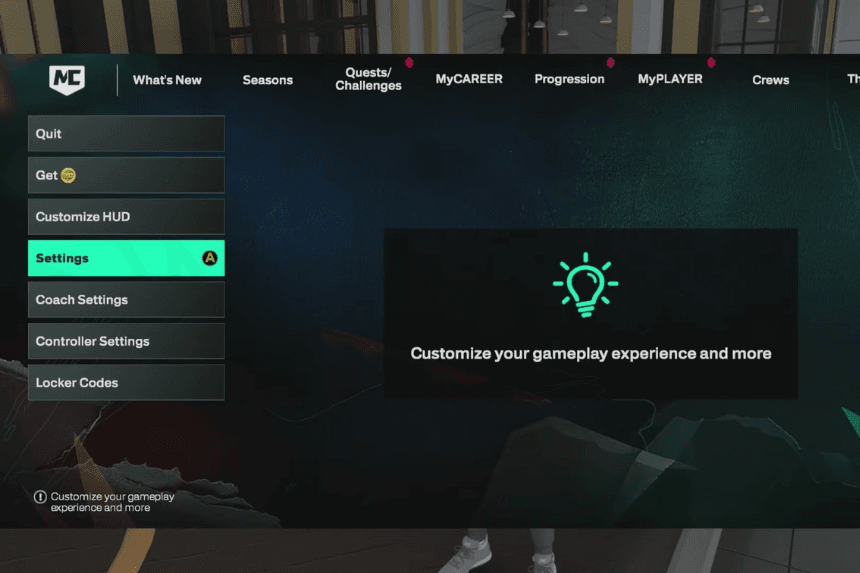
One of the most confused ones is that whether or not your practice games and scrimmages in MyCOURT is of the same quality of difficulty as your real career.
The answer is that yes.
Whatever the level of difficulty you have chosen in MyCareer will also happen in MyCOURT. That is, if you have switched to Hall of Fame, you can anticipate the same stinginess of defense and timing difficulty when you are in the home practice. On the other hand, if you wish for a less tense practice environment, decreasing your MyCareer level of difficulty will have the same result in MyCOURT.
Things to Keep in Mind
Some players have noted that the difficulty option doesn’t appear until they’ve officially entered the NBA season. If you’re still in the early stages of the storyline and don’t see the setting, don’t worry—it unlocks automatically once your player is drafted or signed. At that point, the Options/Quit → Settings path becomes fully functional.
Changing the challenge in NBA 2K26 is simple once you’re aware of where. Pausing, going into Options/Quit, and then pressing Settings will enable you to change your challenge level to your liking. These adjustments will carry over for MyCareer games and for your MyCOURT sessions as well, so your experience will remain the same whether you’re in the middle of playing a giant NBA game or are just at home practicing.