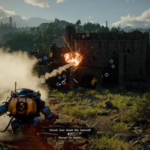
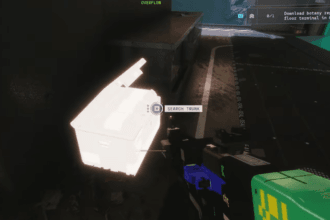
StarRupture just throws you onto Arcadia-7 without any help on where to go or what to do. If you don’t unlock a map, you’re typically lost because navigation will then depend on using memory and landmarks which would involve a lot of guessing. In this guide, you will find out why the map is locked, how to efficiently unlock it, and how the use of Geo Scanners can help uncover more of the world around you without wasting time or resources during the early stages of play.
Why the Map Is Locked at the Start
Many new players will, upon playing their first drop on Arcadia 7, think that the HUD is incomplete. In reality, the map is connected to the early progression of the player. The game requires that, prior to obtaining a map, players familiarize themselves with the production systems, understand the basic crafting system, and develop an understanding of how supply R
routes distribute items back to the Orbital Station. The map will only unlock when a player has completed these steps and has demonstrated the ability to use all of these systems.
Requirement: Moon Energy Corporation Level 3
Map access is awarded once you reach Faction Level 3 with Moon Energy Corporation. You can do this by turning in 1,500 Data Points at the Corporate Terminal
The quickest way to submit Data Points is to deposit them into the Analysis Terminal. Examples of this are Meteorite Cores or Ignitium, which can be processed into Data Points within a very short time frame. Therefore, using the Analysis Terminal provides the most efficient means of reaching Level 3.
Claiming the Map Unlock

You have to go to the Corporate Terminal and click on your faction rewards after achieving Level 3 in order to actually use the map. After you have clicked on your faction rewards, you will be able to use the map the first time you press M. After the first time you use the map, pressing M will pull up only the areas you have explored in physical reality.
Although you can view your immediate surroundings once unlocking the map, only a fraction of the landforms of the Arcadia-7 are visible on the map unless they are scanned using Geo Scanners.
Geo Scanners look like large antennas, and they have a unique symbol that represents them. When the player activates the Geo Scanner, he/she will begin surveying the surrounding area. The aerial survey has a range of approximately 350 meters, so it will cover an extensive area. Unfortunately, due to game mechanics, the survey process has a disadvantage.

Once powered on, a Geo Scanner emits a signal that attracts hostile vermin who will show up in waves (between two to five) over the duration of a scan. During this period, the Geo Scanner must remain intact so the scan can be completed successfully.
Once the survey completes, a large circular section of the map becomes visible, including nearby points of interest. Repeating this process across multiple scanners is the only way to fully chart Arcadia-7.
Note: Before hunting down scanners or pushing exploration too far, keep an eye on the clock. The Rupture will eventually reset the world, and anything left outside your base—including you—won’t survive it.