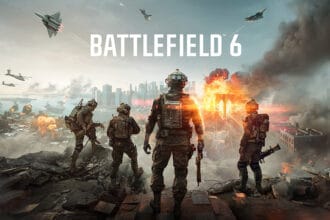
Battlefield 6 is here, and players loved its big maps, classic roles, and satisfying, dynamic gunfights. However, the game has multiple bugs and errors. One of the major errors many players encounter is the “Please update your NVIDIA GeForce driver – The required version is 576.88”. Are you also getting the same error and searching for the best working solutions? Then, check out this guide and follow all the methods suggested to fix it.
How to Fix Battlefield 6 Error: Please Update Your NVIDIA GeForce Driver. The Required Version Is 576.88
There are several things you can try to fix this error. In this guide, we have provided all working solutions for you. Go through them one by one until you get back into the game without the above error.
1. Clean Installation of the Latest Graphics Driver
One of the best and potential workarounds is to perform a clean installation of the latest graphics driver. If you have no idea how to do it, don’t worry, and try the steps below:
- Go to the official website of NVIDIA by clicking on this link: https://www.nvidia.com/en-us/drivers/
- Now, select your graphics card, then select your PC’s Windows version
- Then, click on Find, and you will get all the latest game-ready drivers
- Next, click on View and click on Download
- Once it is downloaded, run the .exe file to install
- After the installation, reboot your PC once and relaunch the game.
2. Stay on Your Current Stable Driver
Some players suggest staying on your current stable drivers. That means, if your current driver, like 566.36, 560.94, or 572.83, is running just fine for months, do not change. It seems that the latest drivers have caused the above error and also caused freezing and crashing issues.
3. Do a Clean Install with DDU
Once you switch drivers, at times, leftover files from the old driver on your system can also cause this error. So, try installing with DDU(Display Driver Uninstaller) from scratch. Here is how you can do it:
- Go to the official website of DDU
- Reboot your PC into Safe Mode
- Run DDU and choose “Clean and Restart” for NVIDIA drivers
- After restarting, install your chosen driver fresh
- Restart again and then relaunch the game.
4. Reduce GPU Overclock or Undervolt
One of the players found that their aggressive undervolt was the main reason why the game was crashing and showing the above error. So, try reducing GPU overclocking or undervolting. To do that:
- Open MSI Afterburner or any of your overclocking tools
- If you have an undervolt, reduce it slightly or reset to the default
- If overclocked, bring it down by 25 to 50 MHz and test again
- Run the game for at least 30 minutes to check stability.
5. Lock FPS to Reduce Heat and Load
One player with a 3070 and driver 580.88 locked their FPS to 75 to keep temps lower and avoid instability. This way, you can resolve the crashing and black screen issues as well.
- Install RivaTuner Statistics Server (RTSS). It comes with MSI Afterburner
- Set your FPS limit to something below your monitor’s max refresh rate – For example, 75 or 90
- Keep DLSS on Quality and settings on Ultra if your card can handle it
- Relaunch the game and check if you see any improvement in the stability of the game.
That’s it for this guide on how to fix Battlefield 6 “Please update your NVIDIA GeForce driver – The required version is 576.88” error.