In Pokémon Pokopia Bubbly Basin DLC, shared storage simplifies the management of your possessions, letting you access one and the same inventory from various Portal Pods. Anyone can achieve this but the quickest way to do it is by exploring the Bubbly Basin DLC. Here is how to obtain your first Portal Pod and unlock several more later on.
Unlocking Storage and Finding Your First Portal Pod

If your aim is to access the Shared Storage feature in Pokémon Pokopia, you will have to obtain the Portal Pod. This is a device that was introduced in version 2.0.0 update, allowing you to put items into one Portal Pod and take them from another.
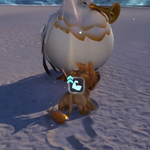
You can visit the Bubbly Basin DLC to acquire a Portal Pod quickly. Travel to the north-eastern part of the Basin and you’ll find a building. Inside you will find a Portal Pod that you can pick up.
Reaching the Bubbly Basin
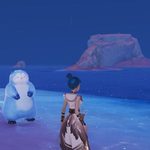
To begin, if you have not yet gained access to the Bubbly Basin, you must first complete Bleak Beach until Surf becomes available. Once those requirements are met, the island that leads to the DLC will open.
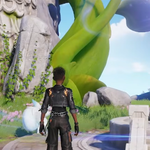
Next, you have to acquire five piles of seaweed. Once you obtain them, you must continue the quest you received from Tangrowth to obtain a request for Dive, which grants you access to the Bubbly Basin.
Other Ways to Get Portal Pods
The Portal Pod can be found not only in the Basin but also at other places, which means you can make more of them:
- Discovering additional Portal Pods placed in the world.
- Taking a picture of a Portal Pod and making a copy with the 3D printer.
- Unlocking its recipe from a PC after raising the Environment Level to level 8 in Palette Town.
To make another Portal Pod with a 3D printer, you first have to take its photo. Use the Minus button to take out your camera, take the picture with the Y button, and capture the photo. After that, you need to visit a Pokémon Center, where you will be able to use the 3D printer and make your Portal Pod at the cost of 5 Rare Pokémetal.
If a player does not have an Expansion Pass, it is still possible to use this method. In this case, you will have to find another player who has a Portal Pod and take a picture of it before returning to print their own copies.